Share this article


The Enduring Popularity of .NET: From Framework to Core and Beyond
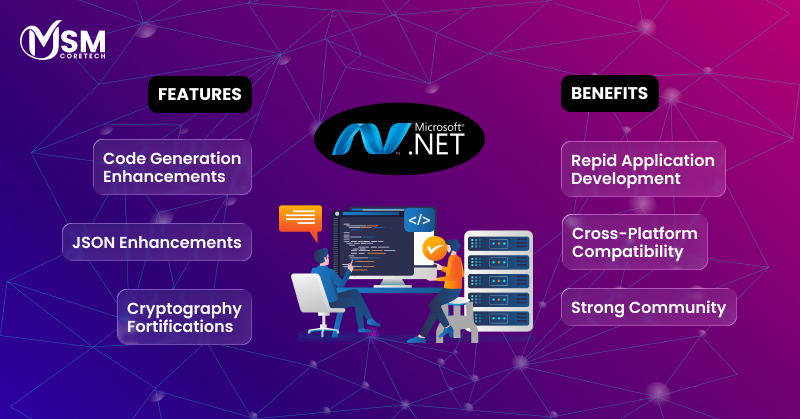
The .NET architecture has significantly transformed after its introduction by Microsoft in the early 2000s. Moreover, the platform has significantly transformed its functioning in a more powerful and open-source manner allowing cross-platform integration.
In addition, the success and evolution of dot net architecture is procured by Microsoft’s regular innovation and enhancements.
Businesses looking for enhancing their online presence, can partner with a renowned professional web design company for ensuring seamless and high quality results.
However, Microsoft’s strategic transition began with the introduction of .NET Core in 2016, a cross integrated platform with performance perfectly designed for the digital era. Additionally, this shift was formalised with the launch of .NET 5 in 2020, that provided a combined usage of all the features in single platform .NET.
This blog covers .NET’s history, key features, infrastructure and future trends by exploring its evolution and cross platform capabilities and increasing demand.
Understanding the .NET Architecture
The .NET architecture is an optimised cross-functional platform with an open-source developer access to develop a variety of enterprise applications. In addition, its easy design allows a consistent programming ecosystem and supports principles of software engineering.
Core components of .NET
- Common language runtime -The CLR process is the executing tool of the .NET environment. It offers a controlled environment for applications. However, the CLR connects with the Intermediate Language (IL) code into old software by using Just-In-Time (JIT) compiler.
- Common language specification – This helps in understanding the functioning and guidelines of all the .NET languages. In addition, the CLS can assure interoperability between a variety of languages.
- Common types systems – This tool helps in differentiating how microsoft net framework must be controlled and managed in the system. Moreover, It offers a unified approach that ensures type of security and alignment over all the framework languages.
- Framework class library (FCL) -This a big collection of interfaces and reusable sessions that offer a wide range of operability for the app development.
Key features of .NET Architecture
- Memory management -The CLR includes a waste collector that automatically handles data allocation and deletion for balancing objects. However, this discards the necessity of manual management of memory, leading to reduction of memory leaks and enhances application functionality.
- Security -Code access security tools are used to emphasize security guidelines on the origin and features of the code. Additionally, the CLR enforces typing safety and makes sure that the code cannot access memory in any unsafe manner.
- Robust execution ecosystem -The CLR acts as an execution tool for dot net architecture and garbage collection with good threat management. Moreover, .NET applications are created through CIL that help the application in connecting with different platforms.
The Tale of Two Frameworks: .NET Framework vs .NET Core
The “Tale of Two Frameworks” refers to the dynamic transition and diversification of the Microsoft net ecosystem, especially in contrast to legacy .NET framework and modern .NET core.
Difference .NET core vs .NET framework
| Factors | .NET core (Modern) | .NET framework (Old) |
| Platform support | Cross-platform integration, compatible on Windows, Linux and macOS. | Windows only. Limited integration within the windows environment. |
| Architecture | Modular and less memory consumption using Nuget packages to insert new libraries. | Monolithic, with certainly libraries combined in a single and large package manager. |
| Performance | Provides uplifted performance and scalability, best suited for cloud and microservices | Usually slow and less optimized for high throughput scenarios. |
| Open-source | Fully open-source and flexible environment with a vibrant community. | Primarily managed by Microsoft with limited open-source factors. |
| Deployment | Easy and quick deployment with self-contained applications and Docker enhancements) | Broad process of system installation, connected with the Windows OS version. |
| Application models | Promotes modern web (ASP.NET Core), cloud, IOT and many others. | Mainly utilized for traditional desktop applications and legacy ASP.NET |
| Future prospect | Effectively developed and presented the future of the .NET environment. | It is always upgrading and remains in the maintenance model, no integration of new features. |
The Shift from .NET Framework to .NET Core
The Microsoft net framework was the primary platform for developing desktop applications leveraging technologies like (Winforms) and Windows Presentation Foundation (WPF), providing a rich user layout capabilities.
Moreover, Microsoft shifted from the old .NET framework to .NET core to meet the modern development needs. In addition, developers need a cross-platform integration program that can run on Windows, Linux and macOS. Additionally, by improving the .NET open source, Microsoft can promote heavy functioning applications with fast performance.
However, despite several transitions some versions like .NET framework 4.7.2 remain prevalent, majorly in enterprise level application environments. In addition, this happened because large enterprises have built their application using the old framework and migrating these applications can be very hard and cost adding. Moreover, these old versions are highly tested and examined, offering a stable foundation for critical business systems.
The Power of ASP.NET : Building Modern Web Applications
ASP.NET, mainly referred to as ASP.NET core, is an open-source and flexible framework developing modern web applications. Additionally, its advanced capabilities expand across various types of web development, providing an effective and robust service environment for making scalable and highly performing applications.
Features of ASP.NET
- Unified Framework – ASP.NET offers a unified view of the integrated web structure, leading to the development of components that effectively cater web development needs from back-end to front-end.
- Full-stack productivity and assistance – The ASP.NET capability of utilising C# over the entire tech stack, consisting web APIs and mobile responsive applications with .NET MAUI, leading to improvisation of develop creativity and lowers the learning curve with time.
- Scalability and performance – Modern ASP.NET simplifies deployment and configuration of private data centres and public cloud environments. Moreover, it promotes the development and deployment over Linux, windows and macOS.
- Modern features and enhanced ecosystem – The framework integrated with modern web development technologies such as Blazor for enhanced user experience and minimal APIs for effective HTTP APIs with singleR for real-time communication.
- Security and design – ASP.NET architecture is developed with modern security principles that includes functions like authentication and data protection for securing applications against common web damages like CSRF.
At last, features of ASP.NET helps in empowering skills of developers and help them in building high performing and scaling web applications, from REST APIs to complex microservices and real-time content delivery hubs with proper security and functioning.
How to check .NET framework version
Check Using Command Prompt
- Open Command PromptRun this command
reg query “HKLM\SOFTWARE\Microsoft\NET Framework Setup\NDP\v4\Full” /v Release
You’ll get a Release number.
Match it with Microsoft’s version list:
528040 → .NET Framework 4.8
461808 → .NET Framework 4.7.2
394802 → .NET Framework 4.6.2
378389 → .NET Framework 4.5 - Check Through File Explorer
Go to
C:\Windows\Microsoft.NET\Framework\
You’ll see folders like v2.0.50727, v4.0.30319, etc.
Highest version folder = installed version. - Check via Registry EditorPress Win + R, type regedit, and press Enter, Navigate to:
HKEY_LOCAL_MACHINE\SOFTWARE\Microsoft\NET Framework Setup\NDP
Open folders (like v4 → Full) and check Version or Release entry. - Check Using PowerShell –
Run:
Get-ChildItem ‘HKLM:\SOFTWARE\Microsoft\NET
Framework Setup\NDP\v4\Full’ | Get-ItemPropertyValue -Name Release - Using a Simple C# Program (Optional)
Console.WriteLine(Environment.Version.ToString());
The Future & Conclusion
.NET framework has gained everlasting popularity, because of its extensive features and stability. Moreover, it seamlessly shortens the gap between traditional hardware systems with more enhanced back support of the old.NET frameworks that are tested effectively.
Additionally these unique features of ASP.NET ensure that the current systems remain valuable, while offering a clear and effective path for integrating modern technologies.
However, the future of .NET framework is mainly connected with unified platform approaches, and strategies that are developed over all the computing environments. Therefore, the microsoft net framework is developed with a focus of excelling in the areas like cloud-native development with integration of ASP.NET core and Blazore.
Lastly, it could be said that .NET framework is a powerful and dynamic tool that provides effective potential to developers in creating high performing applications. Moreover, with its advanced toolkit and enhanced performance, which empower application development in the digital era.
MSM Core Tech provides professional, advanced responsive web design services, helping your business to build an effective digital presence with precise solutions.

Related Posts

Top 7 Gaming Website Development Companies in Australia
Australia’s gaming industry is growing rapidly, driven by mobile gaming, esports, online casino platforms, browser-based games, and independent game studios....
Read More

Top 5 Education Website Development Companies in Australia
In 2026, a school’s website is often the first place parents, students, and educators interact with the institution. Before scheduling...
Read More

Top 7 Website Development Companies in Australia
Finding the right website development company in Australia is one of the most important decisions for any business looking to...
Read More