

Share this article


How Businesses Can Integrate Generative AI into Their Products
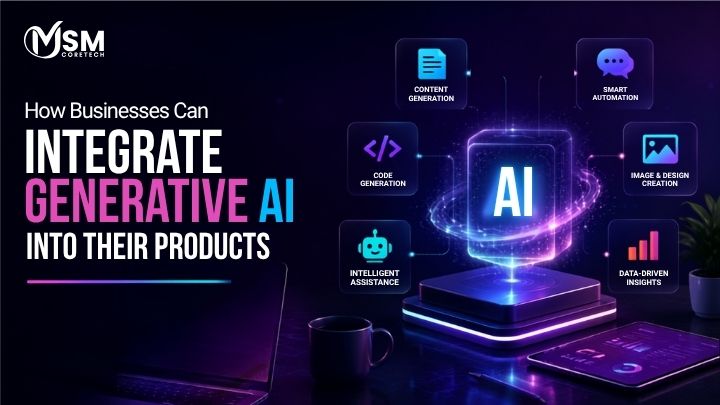
Software used to be simple to describe: you clicked a button, and it did the same thing every time. That is changing fast. Products today are expected to understand what a user wants, generate content on the fly, predict what will happen next, and automate tasks that used to need a human. This shift is why generative AI integration has become one of the most-searched, most-funded, and most talked-about topics in the software world right now.
Businesses across every industry are embedding AI directly into their products instead of treating it as a side feature. There is a real difference between bolting an AI chatbot onto an app and building an AI-first product where intelligence is part of the core experience. Done right, generative AI for businesses means faster automation, more personal customer experiences, higher team productivity, and products that feel noticeably smarter than the competition.
This guide breaks down what generative AI integration means, why it matters, where it fits within an existing product, and exactly how to plan, build, and launch it step by step. By the end, you will have a clear, practical roadmap for turning AI from a buzzword into a real product advantage.
Also Read: Top 10 AI Development Frameworks
What Does Generative AI Integration Mean?
In plain business language, generative AI integration is the process of connecting a generative AI model, like the ones behind ChatGPT, Gemini, or Claude, to your existing product so it can generate text, images, code, recommendations, or answers based on real user input and real business data. Instead of a developer writing rigid rules for every possible scenario, the AI model reads the situation and generates a response that fits.
It helps to separate two things that often get mixed up: the AI model itself and the business application built around it. The model is the raw intelligence, trained on huge amounts of text and other data to understand language and generate new content. The business application is everything wrapped around that model, such as your app’s interface, your customer records, your product catalog, and the rules that decide when and how the AI gets involved. Integration is the bridge between the two.
That bridge is usually built with APIs, which let your product send a request to an AI platform and receive a generated response in a fraction of a second. Behind the scenes, there is often a database or a vector database that stores your company’s knowledge, plus an application layer that decides what to do with the AI’s answer before showing it to the user.
A simple way to picture the flow is this:
User → Product Interface → AI Layer → Model or API → Business Data → AI Response → Product
You can see this pattern everywhere already. A support chatbot that answers billing questions using your actual account data, a shopping app that writes personalized product descriptions, or a SaaS dashboard that summarizes a week of activity in one paragraph are all everyday examples of generative AI product experiences. None of them require rebuilding the whole product from scratch; they require connecting the right AI layer to the right part of the product.
Also Read: AI Chatbot Development Platforms for eCommerce Businesses
Why Should Businesses Integrate Generative AI into Their Products?
Once the technical picture is clear, the next question is the one that actually matters to a business: what do you get out of it? Generative AI for businesses is not valuable because it is trendy, it is valuable because it changes the economics of specific, everyday tasks. Here are the outcomes businesses are seeing most often, with a small example under each.
Automate Repetitive Tasks
Generative AI is excellent at handling repetitive, rules-based work such as writing order confirmation emails, tagging support tickets, or drafting first-pass reports. A logistics company, for example, can use AI to automatically generate delivery status updates for thousands of shipments instead of having a team write them manually.
Deliver Personalized Experiences
Instead of showing every user the same content, AI can generate product descriptions, emails, and recommendations tailored to each person’s behavior. An online clothing retailer could use AI to generate a unique “styled for you” summary for every shopper based on their browsing history.
Improve Customer Support
AI chatbots and copilots can resolve common questions instantly and hand off only the complex cases to a human agent. A SaaS company might deploy an AI assistant that answers 60 percent of support tickets on its own, freeing the support team to focus on harder problems.
Accelerate Content Creation
Marketing teams can generate first drafts of blog posts, ad copy, product listings, and social captions in minutes instead of days. An eCommerce brand launching 200 new SKUs a month can use AI to draft product descriptions that a human editor simply refines.
Enable Intelligent Search
Traditional keyword search often misses what a user actually means. Generative AI powers semantic search, where a user can type a natural question and get a relevant answer instead of a list of loosely matched keywords. A legal software product could let users ask, “What clauses protect us if a vendor misses a deadline?” and get a direct answer pulled from their own contracts.
Generate Actionable Insights
Instead of dumping raw numbers on a dashboard, AI can turn data into a short, readable summary of what changed and why it matters. A finance app could generate a weekly note like, “Spending on ads rose 18 percent, driven mostly by one campaign,” instead of leaving the user to dig through charts.
Improve Employee Productivity
Internal AI copilots help employees draft documents, summarize meetings, and search company knowledge faster. A real estate firm could give its agents an AI assistant that drafts listing descriptions and follow-up emails automatically.
Create New Revenue Streams
Some businesses turn their AI capability into a paid feature or a separate product entirely. A project management tool, for instance, could sell an “AI project summary” add-on as a premium upgrade.
Differentiate Products From Competitors
In crowded markets, a genuinely useful AI feature can be the reason a customer picks one product over another that looks almost identical on paper. It is often the AI-powered feature, not the base product, that ends up in the customer’s testimonial.
How Fast Is Generative AI Being Adopted? (2026 Data)
The numbers back up why businesses are moving quickly. According to McKinsey’s State of AI survey, 65 percent of organizations now use generative AI in at least one business function, roughly double the rate reported just ten months earlier.
Gartner projects that over 80 percent of enterprises will use generative AI APIs or deploy generative AI-enabled applications by 2026, which shows how quickly AI is moving from a pilot project to a standard part of enterprise software.
On the content side, content creation, code generation, and customer interaction are the three most common generative AI use cases inside businesses today, which lines up closely with the use cases covered in the next section.
Also Read: Agentic AI in Financial Services
Top Generative AI Use Cases for Business Products
Some AI use cases have moved well past the experimental stage and are now standard building blocks for modern products. The table below maps the most common use cases to where they typically show up inside a business product.
| Use Case | Product Application |
|---|---|
| AI Chatbots | Customer support and sales conversations |
| AI Copilots | Employee and productivity assistance inside internal tools |
| Content Generation | Marketing copy, product listings, and eCommerce descriptions |
| Personalized Recommendations | Product discovery and cross-selling |
| Intelligent Search | Semantic search across products, documents, or knowledge bases |
| Document Processing | Extracting, summarizing, and classifying information |
| AI Assistants | End-to-end task automation for users |
| Voice AI | Conversational, hands-free interfaces |
| Code Generation | Developer tools and internal engineering workflows |
| Data Summarization | Turning raw data into readable reports and dashboards |
| Product Recommendations | eCommerce and marketplace personalization |
| AI-Powered Analytics | Supporting faster, more confident business decisions |
These use cases look a little different depending on the industry. In healthcare, generative AI is used for clinical note summarization and patient-facing symptom triage assistants. In eCommerce, it powers product description generation and personalized shopping assistants. FinTech products use it for fraud pattern explanation, financial report summaries, and customer service automation. Education platforms use it to generate practice questions and personalized learning paths.
Real estate products use it to auto-generate property listings and answer buyer questions instantly. SaaS platforms bake it in as copilots that help users get more out of the software. Logistics companies use it to generate shipment updates and optimize routing explanations. Travel platforms use it to build AI trip planners. And in media and entertainment, generative AI now drives everything from script assistance to personalized content recommendations.
Also Read: AI in Restaurant Industry
Where Can Generative AI Fit Into Your Existing Product?
One of the biggest misconceptions about generative AI integration is that it requires rebuilding your entire product from the ground up. In reality, most businesses succeed by finding the right entry point first and expanding from there. There are five natural places AI can fit into a product you already have.
Customer-Facing AI
This is the AI your users interact with directly, such as chatbots, AI assistants, personalized recommendations, on-site search, and content generation tools. It is usually the most visible and the fastest way to demonstrate value to customers.
Internal AI
This covers AI built for your own team, like employee copilots, document analysis tools, and workflow automation. It rarely shows up in your marketing, but it can save enormous amounts of internal time.
Backend AI
Backend AI works quietly behind the scenes: classifying incoming data, extracting information from documents, summarizing large records, and supporting predictions that other parts of the system rely on. Users never see this layer directly, but they benefit from it constantly.
AI-Powered APIs
Instead of keeping AI capability locked inside your own product, you can expose it as an API so third-party applications and partners can use it too. This turns your AI feature into a potential product or revenue line of its own.
AI-First Product Experiences
This is the deepest level of integration, where the entire product is designed around AI from day one rather than having AI added on top of an existing workflow. Most businesses do not start here; they grow into it.
It helps to think about these five points on a spectrum from AI augmentation to AI transformation. Augmentation means AI makes an existing workflow faster or smarter without changing how the product fundamentally works. Transformation means the product’s core value proposition changes because of AI. Most successful generative AI integration projects start with augmentation, prove the value, and only move toward transformation once the business has confidence and real usage data behind it.
Also Read: AI Is Transforming Car Rental App Development
Generative AI Integration Approaches
There is more than one technical path to integrating generative AI, and the right one depends on your budget, your data sensitivity, and how much control you need over the model’s behavior.
Approach 1: Third-Party AI APIs
This is the fastest and most common starting point. You send requests to a hosted AI provider such as OpenAI, Google Gemini, or Anthropic’s Claude, and they handle the heavy lifting of running the model. Best for: MVPs, startups, and rapid experimentation where speed to market matters more than deep customization.
Approach 2: Open-Source Models
Models such as Llama, Mistral, and Qwen can be downloaded, hosted, and modified by your own team. This costs more in infrastructure and expertise, but it gives you far greater control over deployment, customization, and data handling. Best for: businesses that need to run models entirely within their own infrastructure or need deep customization that third-party APIs do not allow.
Approach 3: RAG-Based AI
Retrieval-Augmented Generation, or RAG, connects an AI model to your business’s own knowledge base without retraining the model itself. When a user asks a question, the system first retrieves the most relevant pieces of your data, then hands them to the AI model to generate an accurate, grounded answer. Best for knowledge bases, support systems, document assistants, and enterprise search, where accuracy and up-to-date information matter more than pure creativity.
Approach 4: Fine-Tuned Models
Fine-tuning means training an existing model further on your own examples so it naturally adopts your tone, terminology, or specialized knowledge. This makes sense when a business has a large, well-labeled dataset and needs consistent, specialized outputs, such as a legal product that always needs to write in a very specific format. It is usually more expensive and slower to set up than RAG, so most businesses only reach for it once prompt engineering and RAG stop being enough.
Approach 5: Hybrid AI Architecture
Many mature products end up combining more than one approach: a third-party API for general reasoning, RAG for company-specific knowledge, business rules for compliance, and internal systems for data. A hybrid setup gives you the flexibility to use the right tool for each part of the product instead of forcing one model to do everything.
Also Read: AI in Taxi App Development
How to Choose the Right AI Model for Your Product
There are dozens of AI models available today, and simply listing them is not useful. What businesses actually need is a framework for deciding which model fits their product. When comparing models, weigh these factors together rather than picking based on one number alone.
- Accuracy: How reliably the model produces correct, relevant answers for your specific use case.
- Context window: How much information the model can consider at once, which matters for long documents or conversations.
- Response speed: How quickly the model returns an answer, which affects the user experience in real-time features.
- Cost per request or token: How much each interaction costs, which adds up quickly at scale.
- Multimodal capabilities: Whether the model can handle images, audio, or video in addition to text.
- Privacy requirements: Whether the provider’s data handling policies meet your industry’s compliance needs.
- Fine-tuning support: Whether the model allows further training on your own data.
- Hosting options: Whether the model can run on the provider’s cloud, your own cloud, or fully on-premises.
- Scalability: How well the model and its infrastructure handle growing usage without breaking down.
- Reliability: The provider’s uptime history and how well it handles high-traffic periods.
A simple way to match your business need to the right type of model:
| Business Requirement | Recommended Model Type | Why |
|---|---|---|
| Simple chatbot | Fast, cost-efficient model | Keeps response times low and cost per conversation manageable |
| Enterprise knowledge assistant | Long-context or RAG-capable model | Needs to reference large volumes of company documents accurately |
| Image and text application | Multimodal model | Must understand and generate across more than one content type |
| Highly sensitive data | Private or self-hosted solution | Keeps data inside your own infrastructure for compliance |
Step-by-Step Process to Integrate Generative AI
This is the core, practical part of the guide. Every successful generative AI integration project follows roughly the same sequence, whether it is a small startup adding its first AI feature or a large enterprise rolling out AI across multiple products.
Step 1: Define the Business Problem
Do not start with “where can we use AI?” Start with the actual business problem you are trying to solve, such as slow support response times or low search conversion. AI is a tool for solving a problem, not a goal in itself.
Step 2: Identify the AI Use Case
Once the problem is clear, decide whether generative AI can genuinely improve the workflow, or whether a simpler, non-AI solution would work just as well. Not every problem needs a language model.
Step 3: Evaluate Data Requirements
AI is only as good as the data behind it. Take stock of what you have available, including internal documents, customer data, product data, knowledge bases, APIs, and databases, and identify any gaps that need to be filled before building anything.
Step 4: Select the AI Model
Using the framework from the previous section, compare candidate models on performance, cost, privacy, and scalability before committing to one.
Step 5: Design the AI Architecture
Map out how every piece will connect: the frontend, the backend, the AI layer, the APIs, the database, the vector database if you are using RAG, authentication, and monitoring. A clear architecture diagram at this stage saves significant rework later.
Step 6: Build an MVP
Resist the urge to launch a complete AI transformation on day one. Instead, launch one high-value AI feature, prove it works, and use real usage data to guide what comes next.
Step 7: Integrate With Existing Systems
Connect the new AI feature to the systems your business already relies on, such as your CRM, ERP, CMS, payment systems, customer support platforms, and internal databases, so the AI has full context rather than working in isolation.
Step 8: Test and Validate
Before rolling out to real users, test thoroughly for accuracy, hallucinations, security gaps, response time, and overall user experience. AI features fail quietly if they are not tested properly, so this step is not optional.
Step 9: Deploy and Monitor
Once live, track performance continuously rather than assuming the feature will keep working the same way forever. Usage patterns, costs, and model behavior can all shift over time.
Step 10: Scale and Optimize
Use real usage data to improve prompts, models, retrieval quality, infrastructure, and costs. The best AI-powered products are never really “finished”; they keep improving based on how people actually use them.
Also Read: AI in Handyman Apps
Generative AI Product Architecture
Adding a technical architecture overview makes any generative AI integration plan far more credible to engineering teams and stakeholders. A typical architecture flows like this:
Frontend → Application Backend → AI Orchestration Layer → LLM or AI Model → RAG, Vector Database, or Business Database → Enterprise APIs and Internal Systems
The frontend, usually built with React, Next.js, Flutter, or React Native, is what the user actually sees and interacts with. The application backend, commonly written in Node.js or Python, handles business logic, authentication, and requests. The AI orchestration layer decides which model to call, formats the prompt, and manages the flow between different AI services. The LLM or AI model itself, whether from OpenAI, Gemini, or Anthropic, generates the actual response. Underneath that sits the data layer, often a combination of a relational database like PostgreSQL or MongoDB alongside a vector database such as Pinecone, Weaviate, or Milvus that stores information in a format AI can search semantically. Finally, enterprise APIs and internal systems connect the whole pipeline back to the rest of the business.
None of these layers need to be exotic or overengineered. Cloud infrastructure providers and AI observability tools exist specifically to help teams run this kind of architecture reliably without building everything from scratch.
Essential Technologies for Generative AI Integration
Here is a categorized look at the technology stack most businesses draw from when integrating generative AI, without turning it into an overwhelming list.
- AI Models: OpenAI, Gemini, Claude, Llama, and Mistral, among others, are the underlying intelligence powering the product.
- AI Frameworks: LangChain, LlamaIndex, and Hugging Face help developers connect models to data and tools without reinventing the wiring each time.
- Vector Databases: Pinecone, Weaviate, Milvus, and pgvector store information in a searchable format that supports RAG and semantic search.
- Backend: Python, Node.js, and FastAPI are the most common choices for building the application logic around the AI layer.
- Cloud: AWS, Microsoft Azure, and Google Cloud provide the infrastructure to host, scale, and secure AI-powered products.
- Monitoring: AI observability tools track logging, evaluation quality, latency, and cost so teams can catch problems before users do.
Also Read: Top AI Trends
How Businesses Can Use Their Own Data With Generative AI
This deserves its own dedicated section because it is one of the most searched, most commercially important questions in generative AI integration: how do you get an AI model to actually know your business, instead of just generating generic answers?
Retrieval-Augmented Generation (RAG)
RAG lets businesses connect proprietary information to a language model without retraining the model itself. When a user asks a question, the system searches your own data for the most relevant pieces, then feeds those pieces to the AI model as context before it generates a response. This keeps answers grounded in your actual business data and is far cheaper and faster to update than retraining a model from scratch.
Fine-Tuning
Fine-tuning is useful when you need a model that consistently behaves in a very specific way, such as always following a strict format or writing in a distinct brand voice, and you have enough quality example data to train it properly. It is not useful for keeping a model up to date with fast-changing information, since that requires retraining every time something changes, which RAG handles far more efficiently.
Structured Data
Not everything needs to go through a language model directly. AI can also work alongside structured data in databases, APIs, and business systems, pulling exact figures and facts while the language model handles the explanation around them.
Data Pipelines
Behind any RAG or fine-tuning setup is a data pipeline: information gets cleaned, broken into manageable chunks, converted into embeddings, indexed in a vector database, retrieved when relevant, and passed to the model. Getting this pipeline right matters just as much as choosing the model itself.
Here is a simple comparison to help decide which approach fits a given situation:
| Approach | Best For | Trade-off |
|---|---|---|
| Prompt Engineering | Quick wins with general-purpose models, no custom data needed | Limited by what the base model already knows |
| RAG | Grounding answers in your own, frequently changing business data | Requires a data pipeline and a vector database |
| Fine-Tuning | Consistent tone, format, or specialized behavior at scale | Higher cost and effort, and needs retraining as data changes |
Security and Privacy Considerations
For enterprise readers especially, security is not an afterthought; it is often the deciding factor in whether an AI feature gets approved at all. Any generative AI integration plan should account for the following from the start.
Data Encryption and Access Controls
Data should be encrypted both in transit and at rest, and access to sensitive information should be limited strictly to what each user or system actually needs, not left open by default.
Authentication, Authorization, and API Security
Every connection point between your product and the AI model, including APIs, needs proper authentication and authorization so that only verified users and systems can send requests or retrieve data.
PII Protection and Sensitive Data Handling
Personally identifiable information needs special handling, including masking or filtering it before it is ever sent to an AI model, especially if that model is hosted by a third party.
Secure Prompt Handling and Prompt Injection
Prompt injection, where a malicious user tries to manipulate the AI into ignoring its instructions or leaking sensitive data, is a real and AI-specific threat. Input sanitization and strict system-level instructions help reduce this risk.
Data Retention and Provider Privacy Policies
Understand exactly how long your data is retained by whichever AI provider you use, and whether that data is used to train future models. This should be checked carefully before signing any contract, not after.
Audit Logs and Human Approval
For sensitive actions, such as approving a refund or sending a message on a customer’s behalf, keep a human in the loop and maintain audit logs so every AI-driven decision can be reviewed later if needed.
Also Read: AI-Powered Dating Application
Common Challenges Businesses Face When Integrating Generative AI
AI is not risk-free, and being upfront about that builds more trust than pretending every integration goes smoothly. Here are the most common challenges, along with practical solutions for each.
Hallucinations and Inaccurate Responses
AI models can generate answers that sound confident but are factually wrong. Solution: ground responses in your own verified data using RAG, and add human review for high-stakes outputs.
Data Privacy
Sending sensitive data to a third-party AI provider raises compliance concerns. Solution: mask or anonymize sensitive fields before they reach the model, and choose providers with clear data-handling commitments.
Integration Complexity
Connecting AI to legacy systems, CRMs, and internal databases is often more work than the AI model itself. Solution: start with one well-scoped feature instead of trying to connect everything at once.
High Inference Costs
Costs can climb quickly as usage scales, especially with longer prompts and larger context windows. Solution: monitor token usage closely and choose the most cost-efficient model that still meets your accuracy bar.
Latency
Slow AI responses can frustrate users, especially in real-time features like chat. Solution: cache common responses where possible and choose faster models for time-sensitive interactions.
Model Dependency and Vendor Lock-In
Building your entire product around one provider’s API can be risky if pricing or availability changes. Solution: design your AI orchestration layer so switching providers later does not require rebuilding the whole system.
Lack of Quality Training Data
Fine-tuning and RAG both depend on having clean, well-organized data, which many businesses simply do not have yet. Solution: invest in cleaning and structuring your data before, not after, building the AI feature.
Regulatory Requirements
Industries like healthcare and finance have strict rules around automated decision-making and data handling. Solution: involve legal and compliance teams early in the design process, not right before launch.
Poor User Adoption
Even a well-built AI feature fails if users do not trust it or understand how to use it. Solution: design clear, simple AI interactions and be transparent about what the AI can and cannot do.
Maintaining AI Quality Over Time
Model behavior and data can drift over time, quietly reducing accuracy. Solution: monitor performance continuously and build in a regular review cycle instead of treating the launch as the finish line.
How Much Does Generative AI Integration Cost?
This is one of the most commercially important questions businesses ask, and giving one flat number would be misleading. The real cost of generative AI integration depends on a combination of factors.
- AI model or API usage: Ongoing cost based on how many requests your product sends and how much content each request generates.
- Number of users: More users generally means more AI requests and higher infrastructure costs.
- Feature complexity: A simple chatbot costs far less to build than a multi-step AI assistant with tool access.
- Data volume: Larger datasets take more time and cost to clean, structure, and prepare.
- RAG implementation: Setting up a vector database and retrieval pipeline adds both development and ongoing hosting cost.
- Fine-tuning: Training a custom model version adds meaningful upfront cost compared to using a base model.
- Backend development: Building the application logic that connects the AI layer to the rest of your product.
- UI/UX development: Designing how users actually interact with the AI feature.
- Cloud infrastructure: Hosting costs for compute, storage, and databases.
- Security requirements: Extra work needed for encryption, access controls, and compliance.
- Third-party integrations: Connecting AI to your CRM, ERP, payment systems, or other existing tools.
- Maintenance and monitoring: Ongoing work to keep the AI feature accurate, secure, and cost-efficient after launch.
With those factors in mind, here are indicative development cost tiers most businesses fall into:
| Tier | Typical Range | What It Usually Includes |
|---|---|---|
| Basic AI Feature | $5,000 – $15,000 | A single AI feature, such as a chatbot or content generator, added to an existing product |
| AI-Powered Product / MVP | $15,000 – $40,000+ | A more complete AI experience with RAG, custom data integration, and a polished interface |
| Enterprise AI Platform | $40,000 – $100,000+ | A full AI platform with multiple features, deep system integrations, and enterprise-grade security |
These figures are indicative development ranges, not fixed prices. Actual cost always depends on your specific requirements, the AI development company you work with, and how much of your existing infrastructure is reused versus built from scratch.
Also Read: AI-Powered Dating Application
How to Measure the Success of Generative AI Integration
Launching an AI feature is not the finish line; measuring whether it actually works is just as important. Beyond standard product metrics, generative AI needs its own set of KPIs.
- Task completion rate: How often the AI actually finishes what the user asked it to do.
- AI response accuracy: How often the AI’s answers are correct and useful.
- User adoption: How many eligible users are actually using the AI feature.
- Customer satisfaction: Whether users rate their AI interactions positively.
- Response time: How quickly the AI responds, especially for real-time features.
- Cost per AI interaction: The real cost of each AI-generated response at your current scale.
- Automation rate: The percentage of tasks now handled without human involvement.
- Conversion rate: Whether AI-assisted interactions lead to more purchases, sign-ups, or completed actions.
- Employee productivity: Time saved by employees using internal AI tools.
- Customer support resolution rate: How many support issues the AI resolves without escalation.
- Retention: Whether users who interact with the AI feature stick around longer.
- Revenue generated by AI features: Direct or indirect revenue tied back to the AI feature itself.
The most important point here is simple: measure business impact, not simply the number of AI requests. A feature that gets used constantly but does not improve satisfaction, conversion, or efficiency is not actually succeeding, no matter how impressive the usage numbers look.
Common Mistakes to Avoid
- Adding AI without a clear business objective behind it
- Choosing a model before clearly defining requirements
- Ignoring data quality and jumping straight to building
- Overengineering the first version instead of shipping a focused MVP
- Trusting AI outputs without any human validation
- Ignoring security until right before launch
- Failing to monitor AI costs as usage grows
- Building too many AI features at once instead of proving one first
- Neglecting the user experience around the AI feature
- Not planning for scalability from the start
Best Practices for Building AI-Powered Products
- Start with one high-impact use case instead of trying to do everything at once
- Keep humans in the loop for sensitive or high-stakes decisions
- Design clear, honest AI and UX interactions so users know what to expect
- Ground responses in trusted business data rather than relying on the model alone
- Build evaluation and testing into development from the start, not as an afterthought
- Monitor model performance continuously after launch
- Optimize token usage and infrastructure costs as you scale
- Keep fallback mechanisms in place for when the AI cannot confidently answer
- Protect customer data at every step of the pipeline
- Design for continuous improvement instead of treating launch as the finish line
Real-World Generative AI Product Examples
Seeing how established products have integrated generative AI makes the concept much more concrete.
- Microsoft Copilot: Built into Microsoft 365 to draft documents, summarize emails, and analyze spreadsheets, saving employees significant time on everyday office tasks.
- GitHub Copilot: An AI pair programmer that suggests and writes code in real time, speeding up development for individual engineers and teams.
- Notion AI: Adds writing, summarizing, and brainstorming assistance directly inside a workspace tool people already use daily.
- Canva AI: Lets non-designers generate graphics, layouts, and copy, making design accessible to a much wider range of users.
- Adobe Firefly: Generates images and effects directly inside Adobe’s creative tools, extending what creative professionals can do faster.
- Shopify AI features: Help merchants generate product descriptions and store content, reducing the time it takes to launch new listings.
- Intercom AI: Powers automated customer support responses, resolving common questions without a human agent.
- Salesforce Einstein: Brings AI-driven insights and automation directly into CRM workflows, helping sales teams prioritize and act faster.
Also Read: AI Tools Every Android Developer
When Should a Business Integrate Generative AI?
Not every business or every problem needs generative AI right now, and being honest about that actually builds more credibility than presenting AI as a universal fix. Generative AI tends to be a strong fit when:
- The product handles large amounts of unstructured information, like documents, tickets, or messages
- Users need personalized experiences based on their own data or behavior
- Content generation is central to the product’s core workflow
- Customer support is resource-intensive and repetitive
- Employees perform repetitive knowledge tasks that eat up their day
- Search and discovery could be improved by understanding natural language, not just keywords
On the other hand, generative AI may not be the right solution when:
- The problem can be solved more reliably with simple, rule-based automation
- AI would add unnecessary cost without a clear return
- Accuracy requirements leave no room for probabilistic or imperfect output
- There is not enough usable data to ground the AI in your business

Build Smarter Products With Generative AI
Everything covered in this guide, from choosing the right model to designing a secure architecture, is exactly the kind of work MSM Coretech helps businesses navigate every day. As an AI development company with hands-on experience across app development, web design, and software development, MSM Coretech works with businesses to turn generative AI from an idea into a working, revenue-driving product feature.
That work spans generative AI consulting and AI strategy, custom AI development, AI chatbot development, RAG implementation, AI API integration, AI-powered SaaS development, custom AI product development, AI model integration, and modernizing existing products with new AI capabilities. The focus is always on business outcomes first, not simply plugging in the newest model for its own sake.
Whether a business is adding its first AI chatbot or planning a full AI-first product, working with an experienced AI development company like MSM Coretech means avoiding the common mistakes covered earlier and getting to a working, secure, cost-efficient AI feature faster.
Turn Generative AI Into a Product Advantage
Successful generative AI integration is never just about connecting an LLM API and calling it done. It takes identifying the right use case, choosing an architecture that fits your data and budget, securing that data properly, validating every output before users see it, and continuously optimizing the experience as real usage comes in. Businesses that treat AI as a genuine part of their product strategy, rather than a bolt-on feature, are the ones seeing real gains in productivity, personalization, and customer experience.
The good news is that none of this requires rebuilding your product overnight. Start with one high-value use case, ground it in your own trusted data, measure what actually matters, and expand from there. Whether you are exploring your first AI chatbot or planning a full AI-first product, the businesses that move now, thoughtfully and with the right partner, are the ones that will turn generative AI for businesses from a talking point into a genuine competitive edge.
If you are ready to bring generative AI into your product the right way, MSM Coretech is ready to help you build it, step by step, from strategy through launch.
FAQs
By starting with a clear business problem, choosing the right AI model and integration approach, such as an API or RAG, connecting it to relevant business data, and launching one focused feature before scaling further.
AI chatbots, content generation, intelligent search, document processing, personalized recommendations, and data summarization are among the most widely adopted and proven use cases.
Costs typically range from $5,000 for a basic AI feature to $100,000 or more for a full enterprise AI platform, depending on complexity, data requirements, and integrations.
Yes, through Retrieval-Augmented Generation, which lets AI models reference your own business data securely without retraining the model itself.
RAG retrieves relevant business data at the moment of a request, while fine-tuning trains the model itself on your data in advance. RAG is faster to update; fine-tuning is better for consistent tone or format.

Related Posts
Top 10 AI Development Frameworks
If you have ever wondered how companies build chatbots, recommendation engines, or image recognition tools without writing every single line...
Read More
Top AI Chatbot Development Platforms for eCommerce Businesses
If you run an online store today, chances are your customers already expect instant answers, day or night. That is...
Read More

Agentic AI in Financial Services: A Complete Guide
The financial industry is changing very quickly, and businesses need smarter ways to help customers, reduce risks, and manage their...
Read More


 Verified Review




 +44 7427829444
 71-75, Shelton Street, Covent Garden, London, United Kingdom, WC2H 9JQ